
What it takes off your desk.
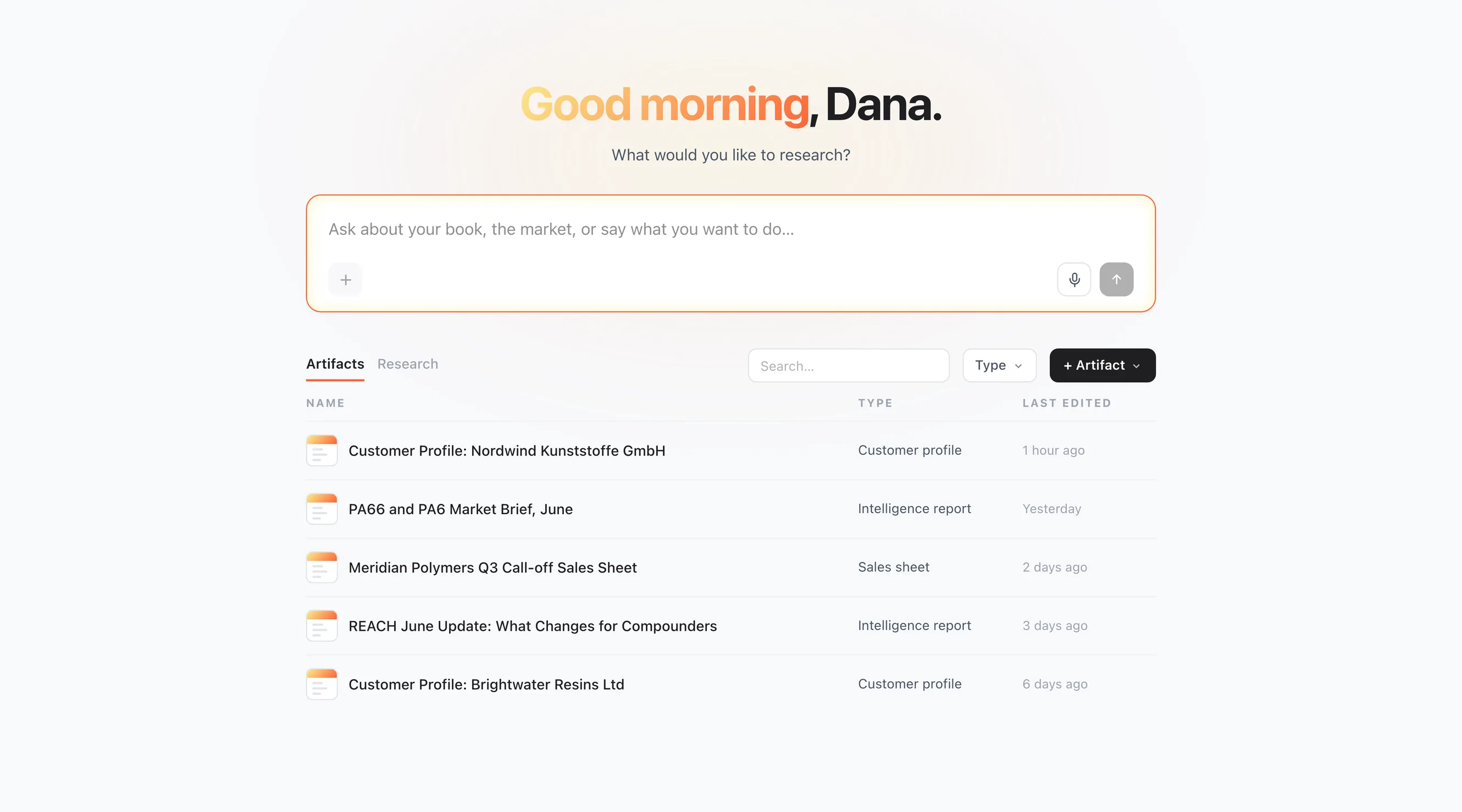
Home01 / 06
A question about one account means opening five systems
One box for your book and the market, and a library of everything the answers became.
Real screenshots of Workspace in the product, not mockups. The tenant data is a seeded demo.
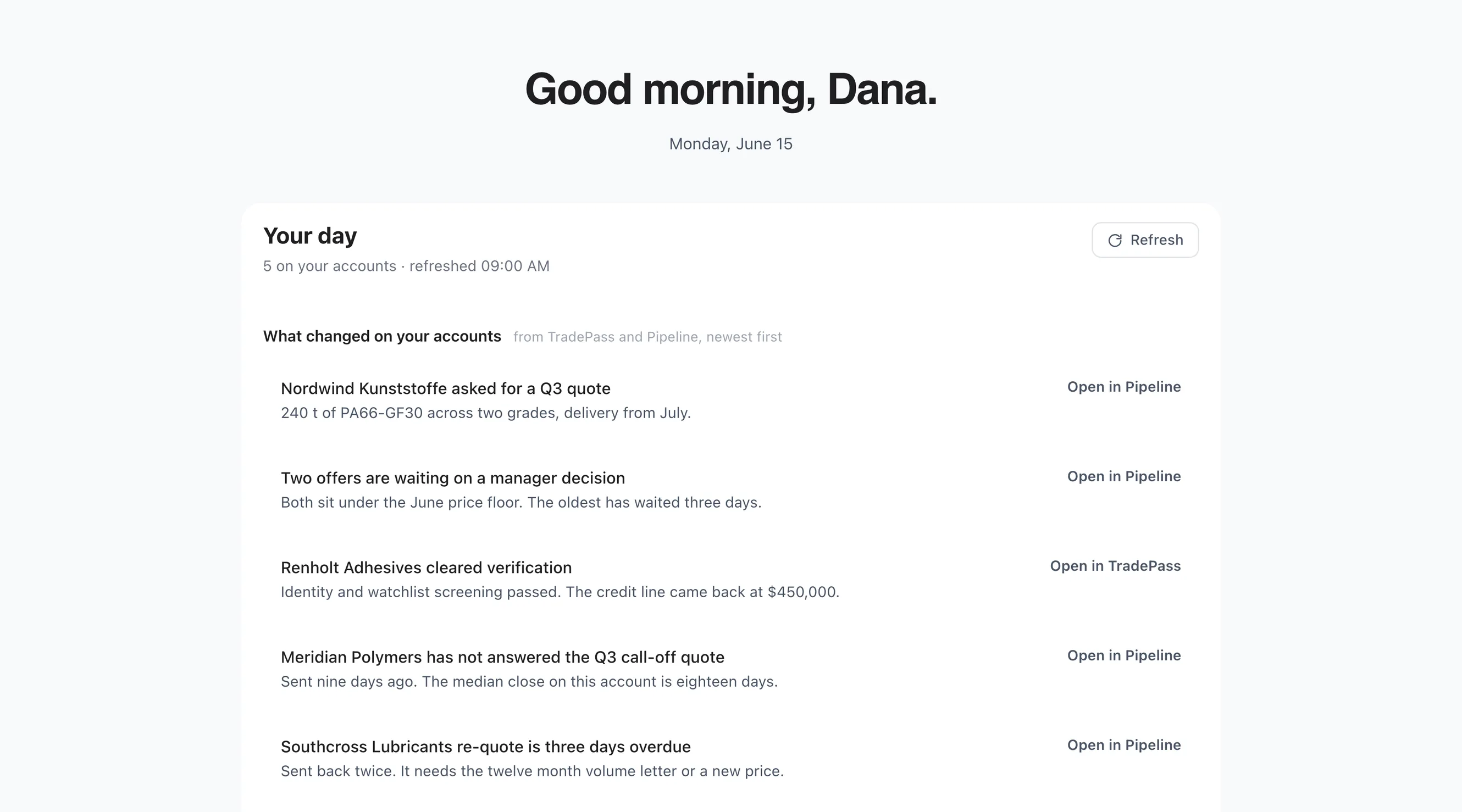
Your Day02 / 06
The day starts by reading email to work out what changed
What changed on your accounts overnight, in one list, each change opening in the application it came from.
Real screenshots of Workspace in the product, not mockups. The tenant data is a seeded demo.
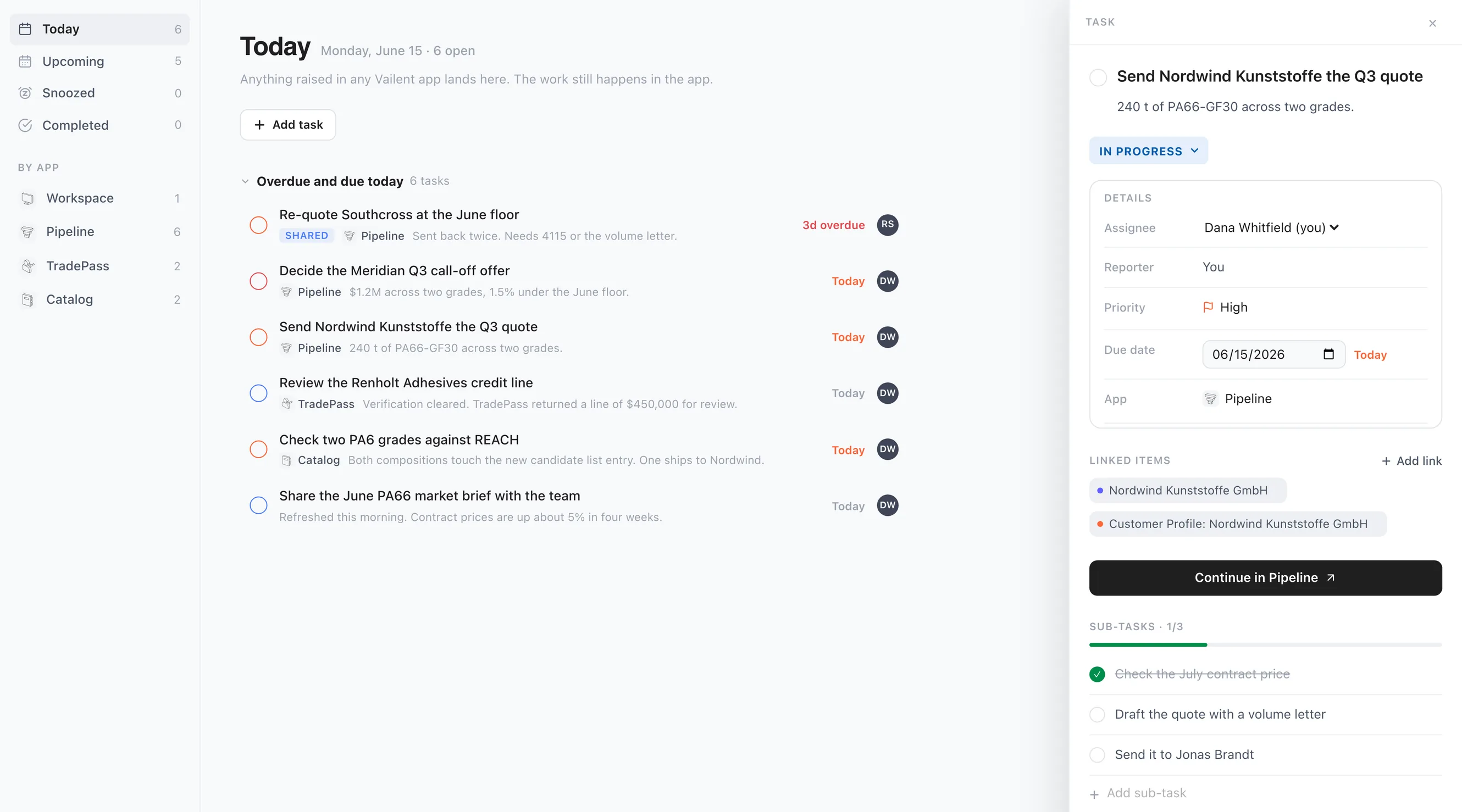
Tasks03 / 06
A follow-up lives in somebody's notebook, detached from the deal
Every task from every application in one list, linked to the customer and the documents it is about.
Real screenshots of Workspace in the product, not mockups. The tenant data is a seeded demo.
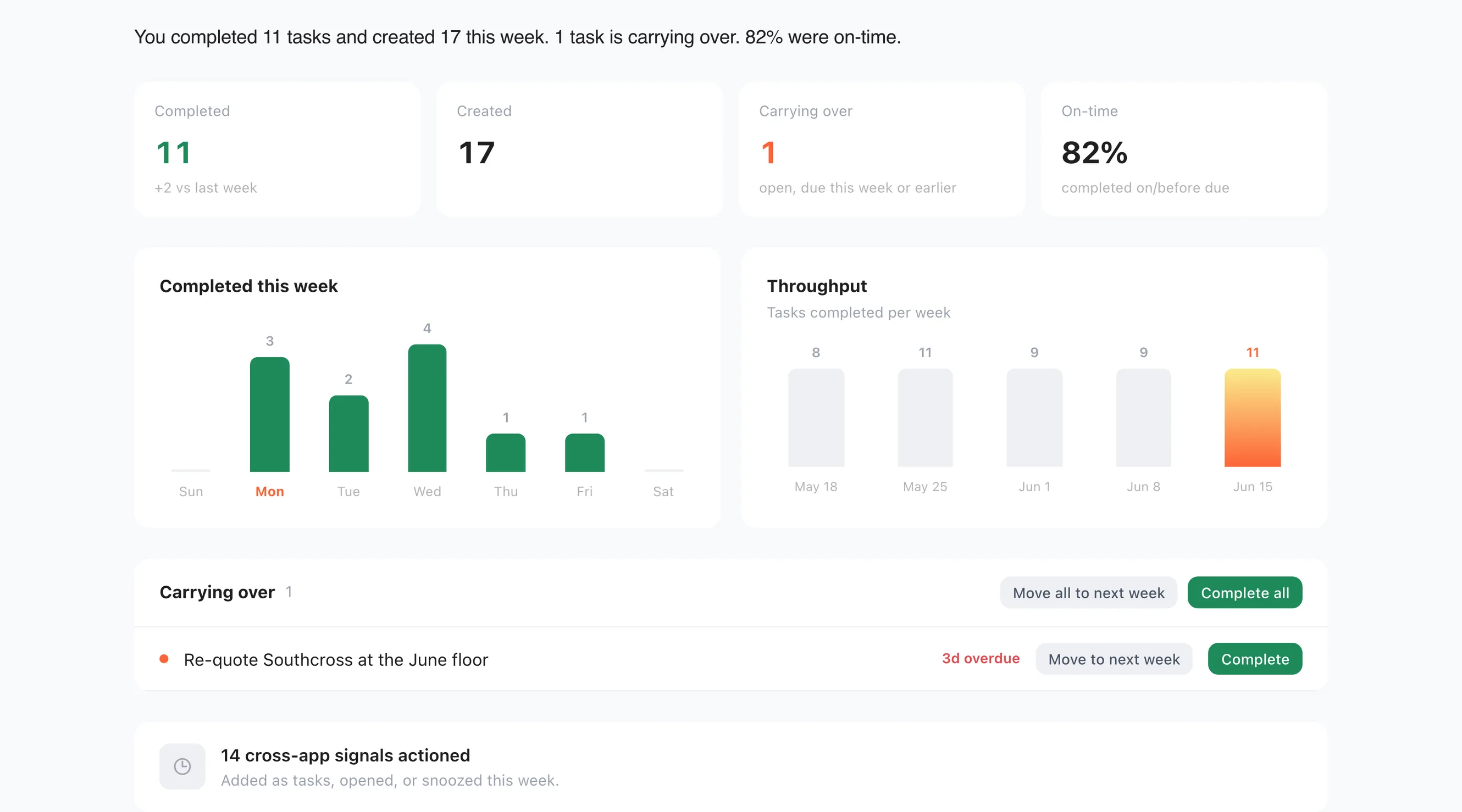
Weekly Review04 / 06
Nobody can say whether last week actually got done
The week counted: what closed, what carried over, and how much of it came from elsewhere.
Real screenshots of Workspace in the product, not mockups. The tenant data is a seeded demo.
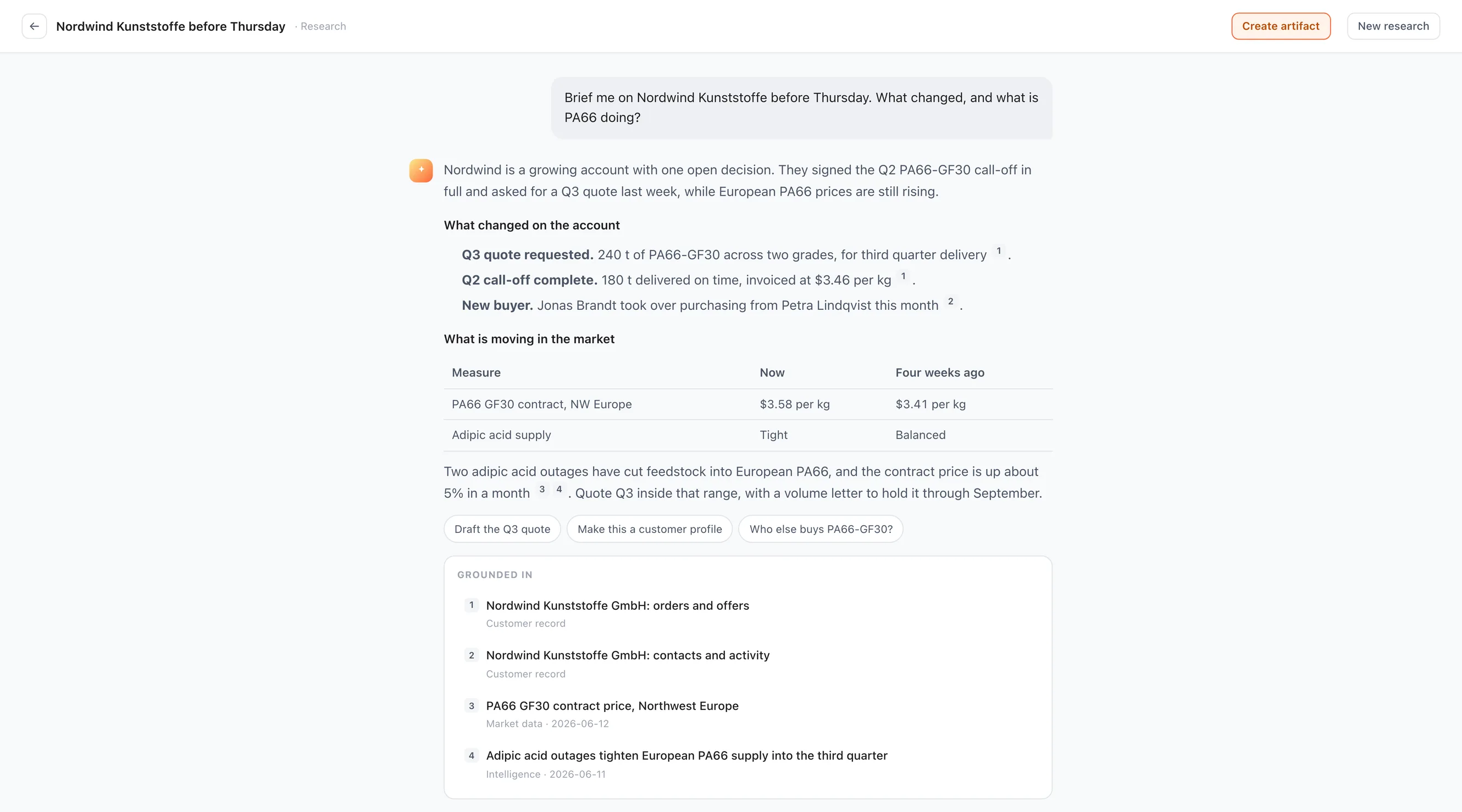
Research05 / 06
Finding out what the market did costs a room full of people and a week
Ask in plain language and get an answer drawn from your records and the market, with every source listed.
Real screenshots of Workspace in the product, not mockups. The tenant data is a seeded demo.
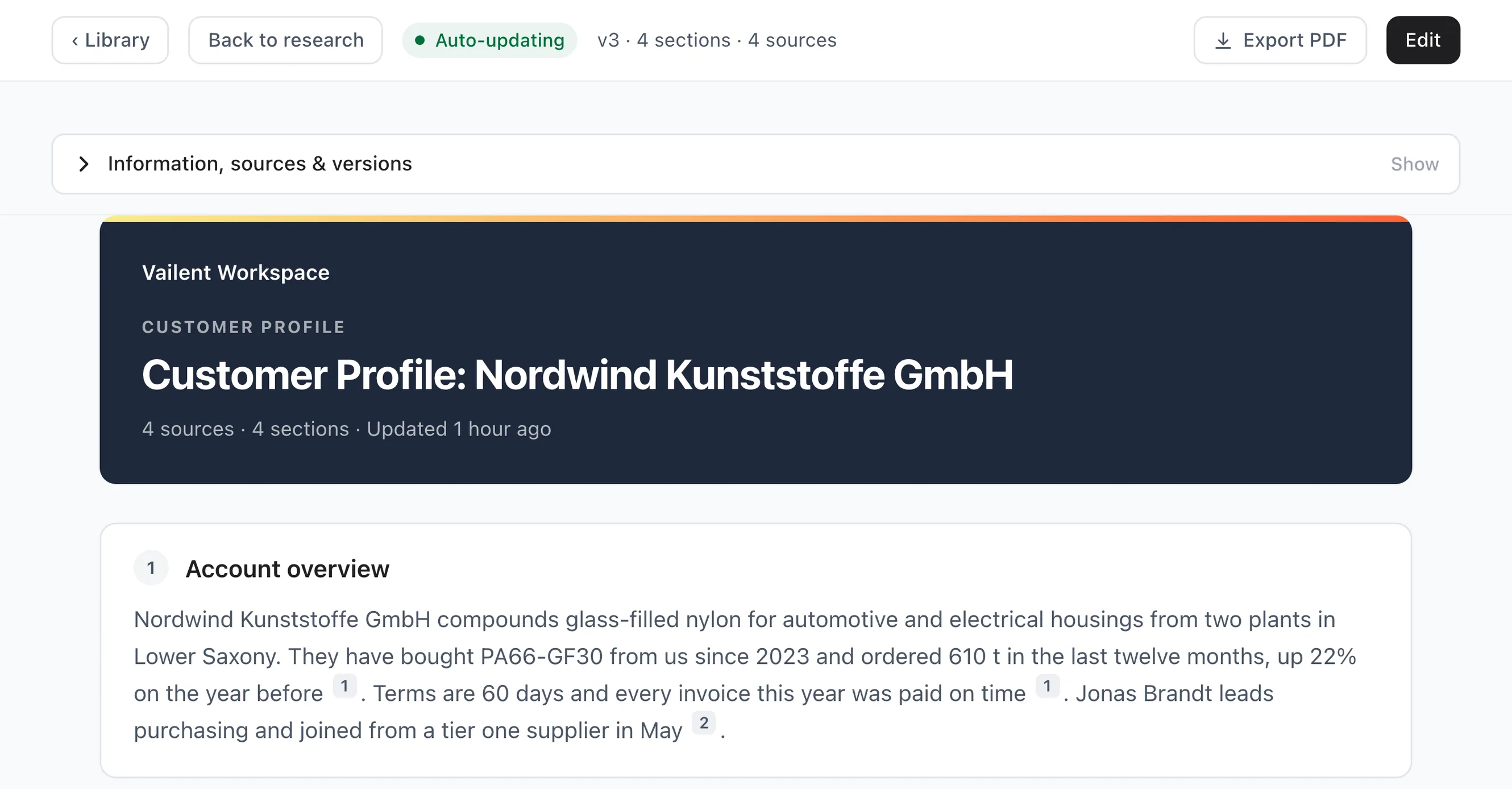
Artifacts06 / 06
The customer brief gets rebuilt by hand before every meeting
The brief writes itself from your own records, refreshes on its own, and exports as a PDF.
Real screenshots of Workspace in the product, not mockups. The tenant data is a seeded demo.
How Workspace fits in our
AI-Native Infrastructure
One place to start. Every application behind it.See what Workspace shares with the applications around it.
Explore a connection
Hover an app to see what connects it to Workspace. Click an app to explore its connections.
 Workspace
One place to start. Every application behind it.
 Pipeline
Tap an app name to explore its connections.
Open quotes and orders arrive here as ranked priorities.
Go to PipelineStalled onboarding and screening alerts arrive here, ranked.
Go to TradePassFailed extractions and sync results land in your notifications.
Go to CatalogA mention on a sales order lands in your notifications.
Go to InventoryYour Workspace tasks stay one click away in the Storefronts top bar.
Go to StorefrontsThe records behind your morning stay connected to their source.
Go to NexusAccounts, visibility, and actions follow the roles your company defines.
Go to CanopyOne box to ask about the day, on the screen the day is already on.
Go to Assistant
What spans every application.
Two things belong to the person rather than to any one application: the work waiting on you, and the units and formats your figures are written in. Both of them live here.
A workday that starts with a plan, and one queue that knows which application every piece of it came from.
There's a new way to plan your day.
- Then
- the day started with an inbox and a guess about what mattered.
- Now
- the day starts with a shortlist, and the reason for each item attached.