
CANOPY

Your Business Logic,
Enforced Everywhere

The flexibility to define your own logic, data, and rules, enforced consistently across every Vailent application.

Minutes
From Rule Change to Live
Same-Day
Org Restructure Rollout
Zero
IT Hand-offs to Update a Rule

What it takes off your desk.
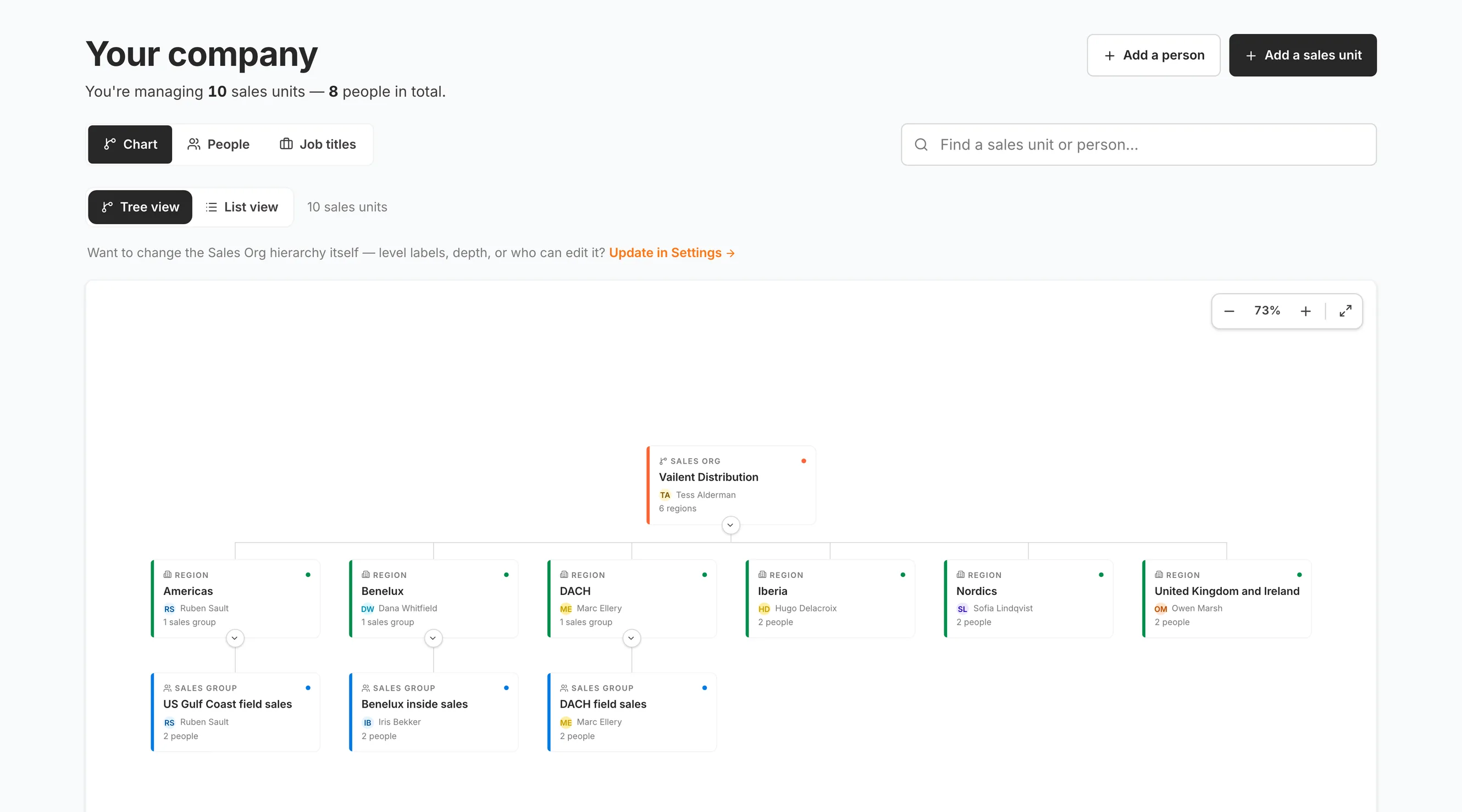
The Canopy company screen, stating that ten sales units and eight people are being managed, above an org chart drawn as cards: one sales organization at the top with its own named lead and a count of six regions, a row of six region cards for the Americas, Benelux, DACH, Iberia, the Nordics and the United Kingdom and Ireland, each carrying the name of the person who leads it and how many people or groups sit under it, and a third row of sales groups nested beneath three of those regions

My Company01 / 06

Problem

A reorganization is a project, and for months afterward people see the wrong accounts

The Canopy solution

Model the company once. Every application reads that one model, and a restructure lands the same day.

Real screenshots of Canopy in the product, not mockups. The tenant data is a seeded demo.
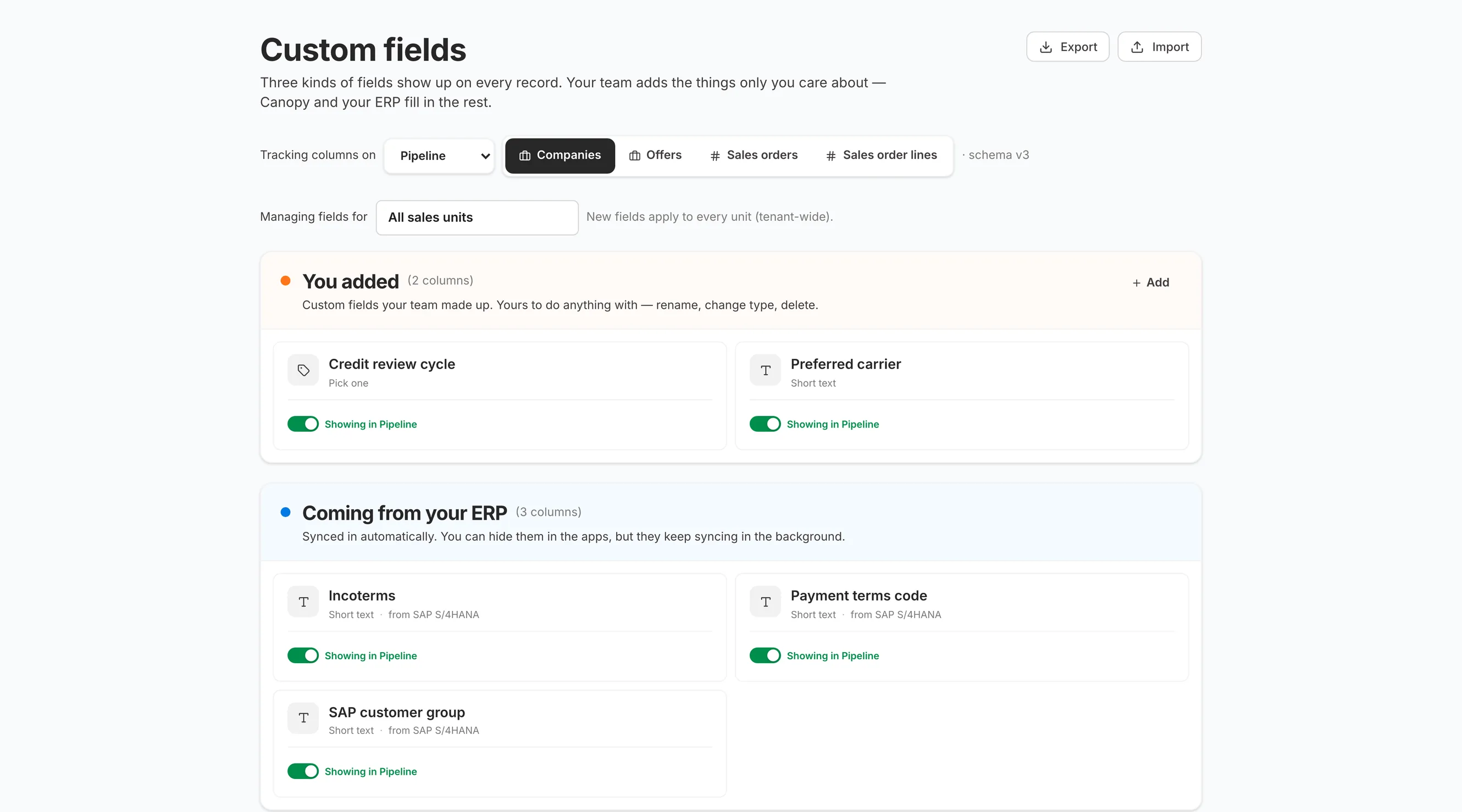
The Canopy custom fields screen for companies in Pipeline, explaining that three kinds of field show up on every record, with a control setting which record type is being managed and a note that new fields apply tenant-wide. Below it two panels: the two fields this team authored themselves, a credit review cycle and a preferred carrier, and the three arriving from the customer's own SAP system, incoterms, a payment terms code and a customer group, each field carrying a switch showing that it is rendering inside Pipeline

Custom Fields02 / 06

Problem

Adding one field your business actually runs on takes an engineering ticket and a release

The Canopy solution

An admin authors the field. It renders in every application, with no engineering release and no fork of the product.

Real screenshots of Canopy in the product, not mockups. The tenant data is a seeded demo.
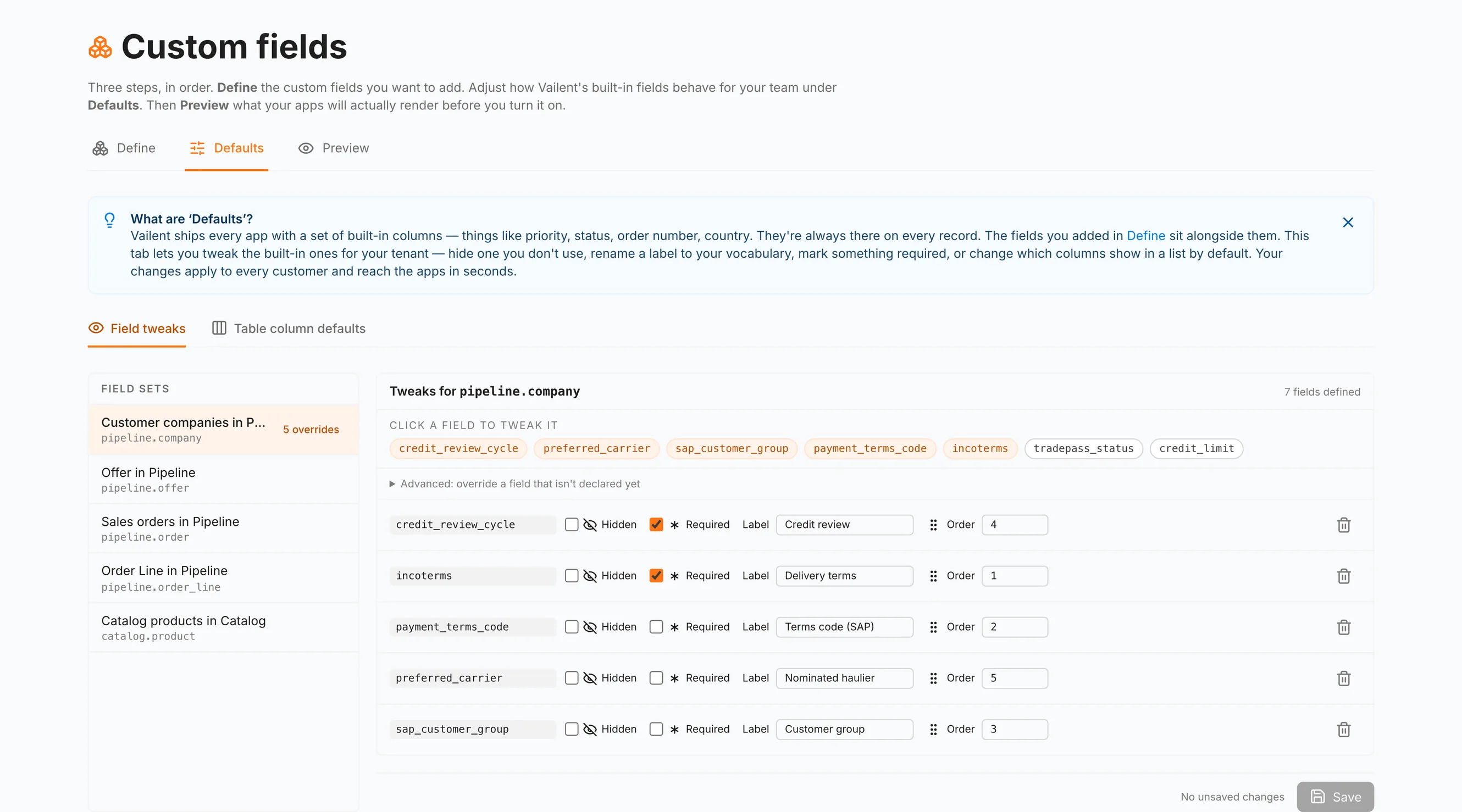
The Canopy defaults screen, explaining that Vailent ships every app with built-in columns and that this tab renames them to the customer's own vocabulary for the whole tenant, reaching the apps in seconds. A list of record types on the left shows customer companies in Pipeline carrying five overrides, and on the right the built-in field keys are listed as chips above five rows, each pairing the original field name with the label this company uses instead: incoterms rendered as Delivery terms, the payment terms code as Terms code, the SAP customer group as Customer group, the preferred carrier as Nominated haulier, and the credit review cycle as Credit review

Your Words03 / 06

Problem

The software calls it something nobody in your building has ever called it

The Canopy solution

Rename the field once, and every application that draws it uses your word instead of ours.

Real screenshots of Canopy in the product, not mockups. The tenant data is a seeded demo.
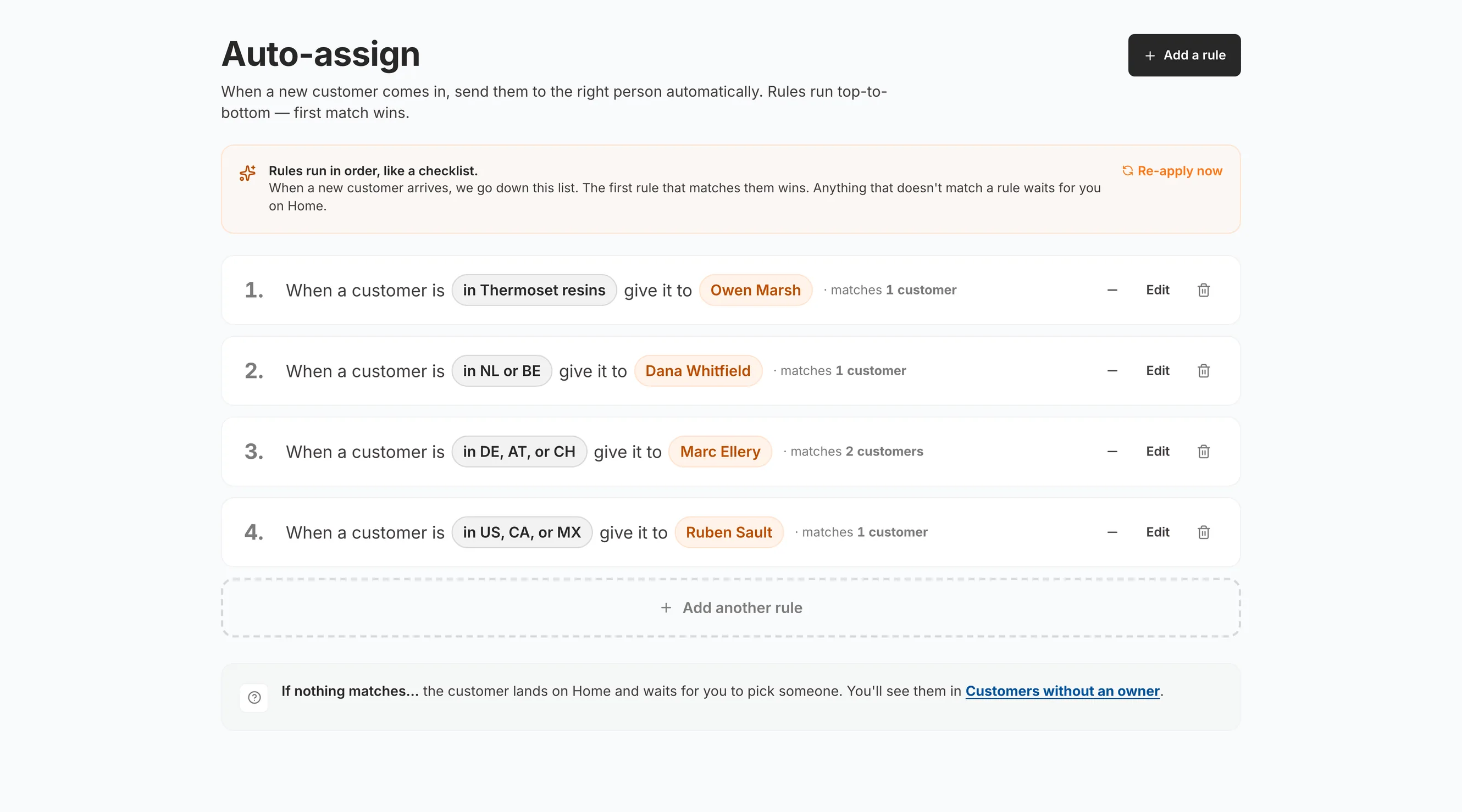
The Canopy auto-assign screen, explaining that rules run in order like a checklist and that the first rule matching a new customer wins. Four rules written as plain sentences: a customer in thermoset resins goes to one named person, a customer in the Netherlands or Belgium to another, a customer in Germany, Austria or Switzerland to a third and a customer in the United States, Canada or Mexico to a fourth, each rule showing how many customers it currently matches, and a closing note saying what happens to a customer that matches nothing

Auto-Assign04 / 06

Problem

Every new account sits unowned until somebody remembers whose it is

The Canopy solution

Write the rule as a sentence. It runs top to bottom, first match wins, and it tells you what it caught.

Real screenshots of Canopy in the product, not mockups. The tenant data is a seeded demo.
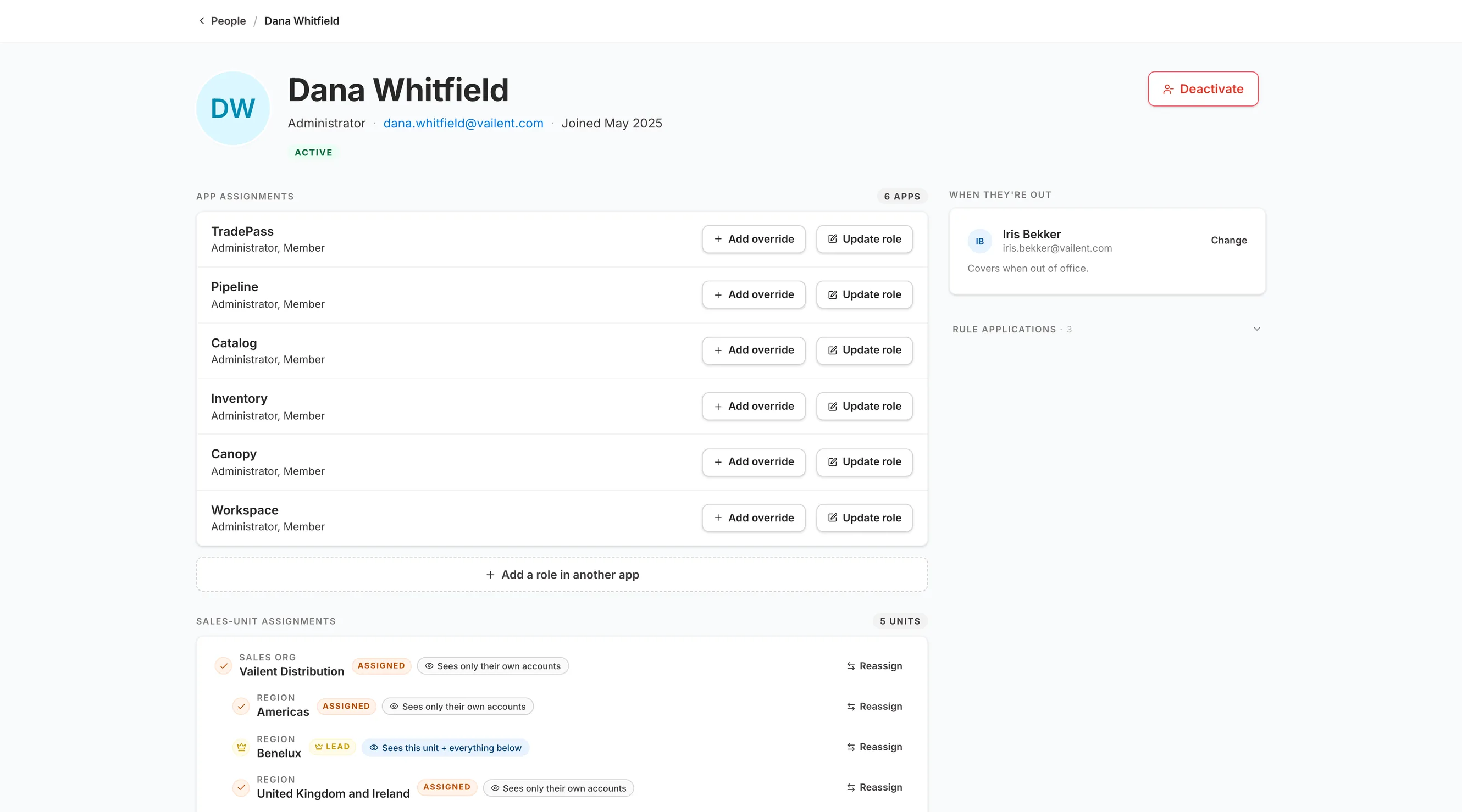
A person's record in Canopy, showing their app assignments across six Vailent products, TradePass, Pipeline, Catalog, Inventory, Canopy and Workspace, with the same two roles held in each and a control to override a role per app. Beside it the person nominated to cover when they are out of office. Below, their sales-unit assignments across five units, each row saying what they can see there: only their own accounts in most, and the whole unit and everything below it in the one region they lead

Who Sees What05 / 06

Problem

Permissions get configured app by app, and every one of them drifts a little differently

The Canopy solution

One person, one set of roles, enforced identically in every product they open.

Real screenshots of Canopy in the product, not mockups. The tenant data is a seeded demo.
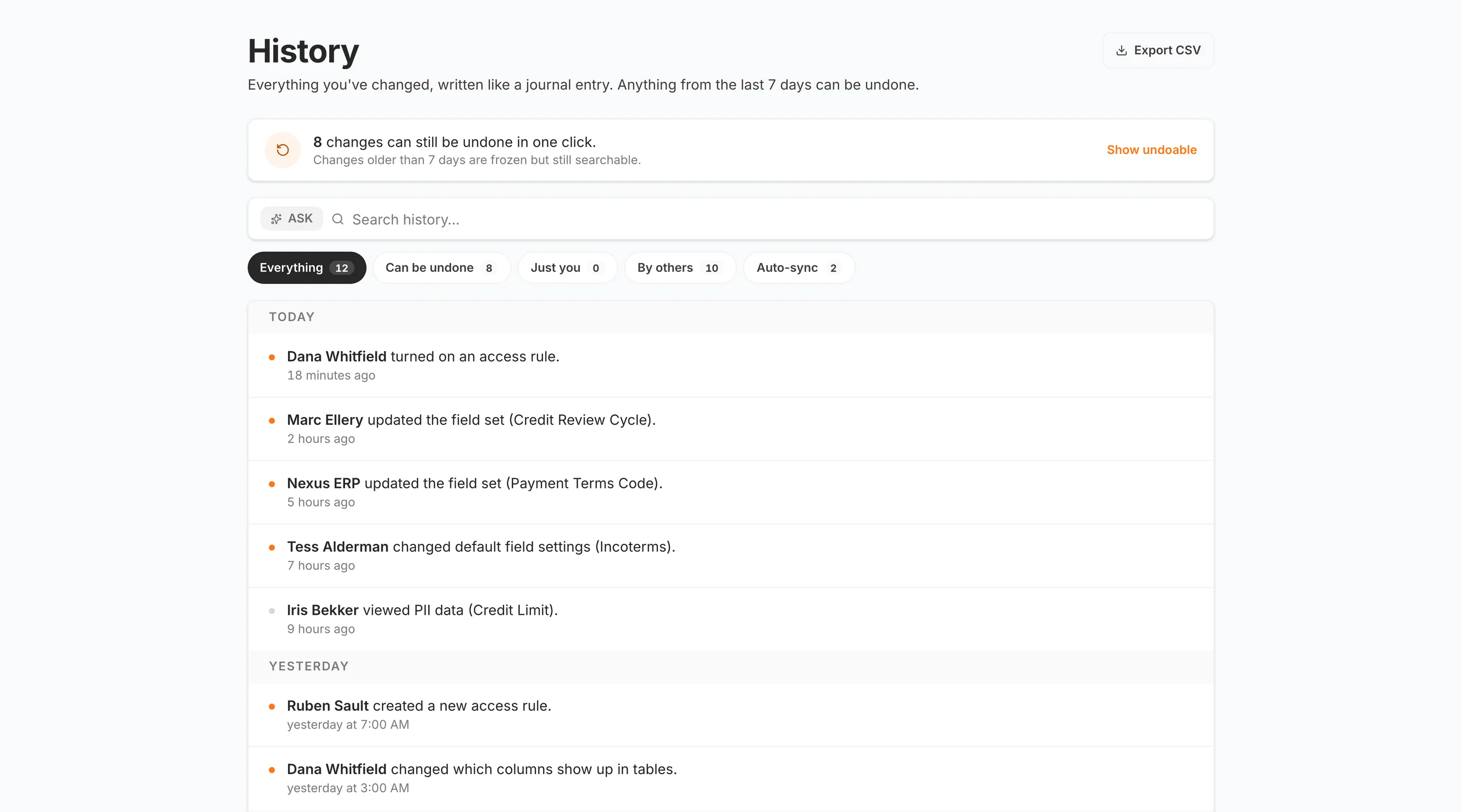
The Canopy history screen, describing itself as everything you have changed written like a journal entry, with anything from the last seven days undoable. A banner counts eight changes that can still be undone in one click and notes that older ones are frozen but still searchable. Below, filters by who made the change and a feed grouped by day: an access rule turned on eighteen minutes ago, a field set updated by a named colleague, the same kind of update made by the ERP integration itself, a change to default field settings, and a record read logged against the person who viewed it

History06 / 06

Problem

The auditor asks who changed it and when, and answering means going round asking people

The Canopy solution

Every configuration change written down as a sentence, exportable, and reversible for seven days.

Real screenshots of Canopy in the product, not mockups. The tenant data is a seeded demo.

How Canopy fits in our
AI-Native Infrastructure

Your organization. Connected and governed.See what Canopy shares with the applications around it.

Canopy in the platform

Explore a connection

Hover an app to see what connects it to Canopy. Click an app to explore its connections.

Focus to read the handoff. Press Enter to explore the app.
Canopy

Your organization. Connected and governed.

How Canopy fits in our AI-Native Infrastructure

CanopyPipeline

Who approves

Thresholds and territory rules route exceptions to their owner.

Tap an app name to explore its connections.

  • Thresholds and territory rules route exceptions to their owner.

    Go to Pipeline
  • Credit ceilings are enforced, with exceptions routed to an approver.

    Go to TradePass
  • Document access follows the permissions your company defines.

    Go to Catalog
  • Canopy decides the custom fields and records each person sees.

    Go to Inventory
  • Accounts, visibility, and actions follow the roles your company defines.

    Go to Workspace
  • Ask about your organization from the Canopy page you are on.

    Go to Assistant
  • When you adopt an ERP field in Nexus, Canopy holds its definition.

    Go to Nexus

Elsewhere in the platform

Storefronts
THE GOVERNANCE LAYER

Customization without engineering.

Canopy is what makes Vailent feel built for your business. Configuration replaces custom code so the platform adapts as fast as the company changes.

Organizational Hierarchy

Model parent companies, subsidiaries, divisions, regions, and teams, exactly the way your business is structured.

Role-Based Access Control

Every record in Pipeline, TradePass, Catalog, and Inventory is governed by who you are and what you're allowed to see.

Custom Business Rules

Approval gates and order rules, configured for your company and enforced where the work happens.

Custom Fields & Terminology

ERP fields surfaced where they matter, labeled in your language, with role-based visibility you control.

Real-Time Reorganization

Restructure teams, regions, and territories on the fly. Access rules propagate everywhere. No engineering, no downtime.

Ownership & Approval Routing

New accounts route to their owner by territory, and an approval goes to the people who hold the approve role for it.

The Outcome

A platform that fits your business in weeks instead of months, and adapts as fast as you do.
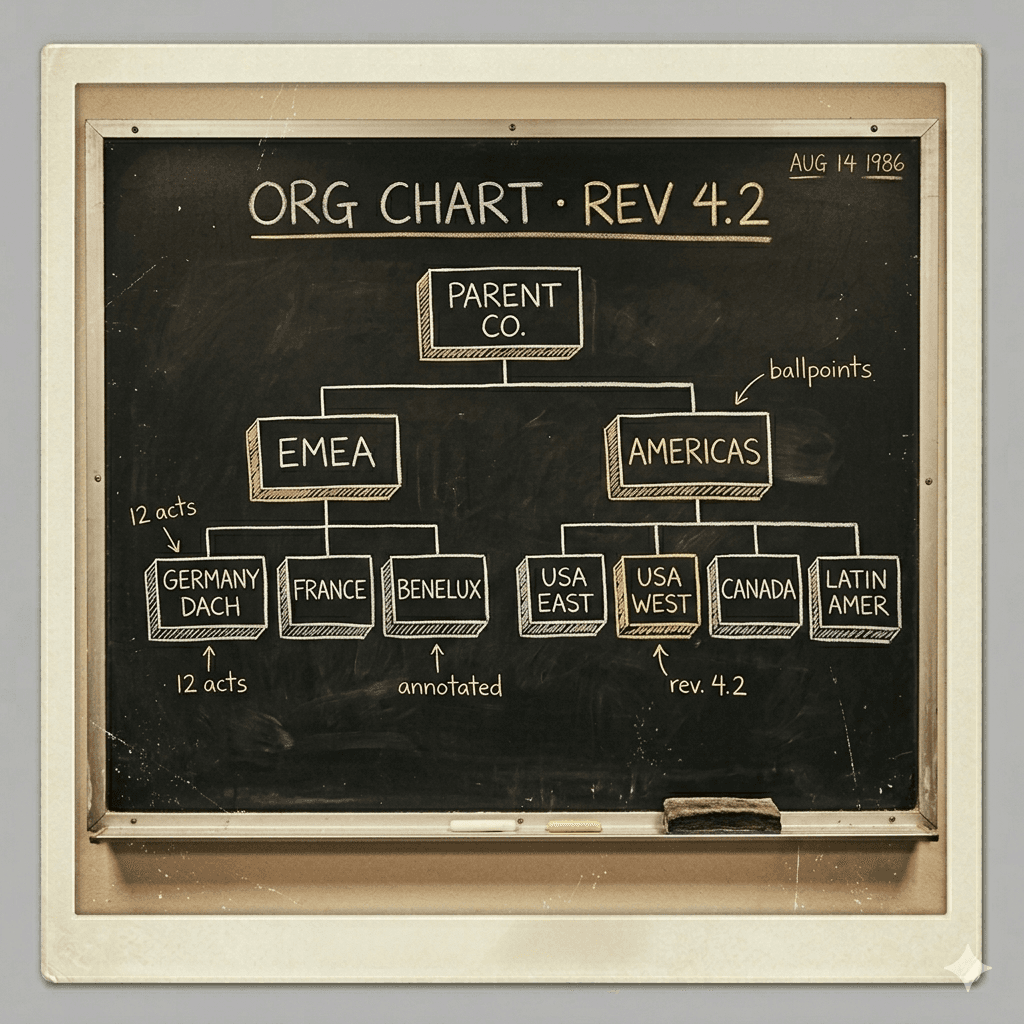
Org Chart ยท 1986
Org ChartRev 4.2 ยท 1986
The way every decision traveled before.

There's a new way to govern.

Then
a reorg meant a ticket, a release, and a wait on somebody's backlog.
Now
the hierarchy is a setting, and every application reads the same one.