
NEXUS

Every System You Run,
Connected in Minutes

Nexus is the data fabric included with every Vailent product. It sits between Vailent's apps and the systems your enterprise depends on (your CRM, your ERP, your legacy back-office) and turns "we need to integrate" from a multi-quarter project into a configuration exercise that finishes the same week you start it.

15 min
To First Sync on a SaaS API
Same Week
Live on Your Systems
80%+
AI Auto-Mapping

What it takes off your desk.

Nothing has run yet

Four checks, none of them started.

Set up / ERP connection / Step 1 of 9ConnectDiscoverMapCodes & listsWriting backCustom fieldsTrial runFirst importGo liveERPTest the connectionProves your system works before anyone relies on it.Read-only until go-liveRoute reachablenot runCredentials acceptednot runPermissions sufficientnot runFirst read returnednot runThe connection stays inactive until it is tested and created.BackRun test

Connect01 / 06

Problem

Every software purchase hides a second one: the integration behind it

The Nexus solution

A connection proves itself before it exists, and we run it.

As designed. Not customer data.

Still looking

Three found so far.

Set up / ERP connection / Step 2 of 9ConnectDiscoverMapCodes & listsWriting backCustom fieldsTrial runFirst importGo liveERPWhat we found, in your wordsNamed in plain English rather than in your system's own table names.Read-only · nothing copiedOUR NAME FOR ITIN YOUR SYSTEMCARRIED ON A FIRST RECORD✓CompaniesCustomer master94%✓MaterialsMaterial master88%✓Purchase ordersPurchasing document91%  Looking for each business object Nexus handles.BackContinue to mapping

Discover02 / 06

Problem

Nobody can approve an integration they cannot read

The Nexus solution

Every object in your system, in plain English, nothing copied.

As designed. Not customer data.

Nothing suggested yet

Four objects, waiting.

Set up / ERP connection / Step 3 of 9ConnectDiscoverMapCodes & listsWriting backCustom fieldsTrial runFirst importGo liveERPMap: suggestions, confirmed by youNexus reads your columns and matches them to our model. This step is a person checking that work.Nothing is live yetYOUR OBJECT, AS OURSCONFIRMED · NEEDS A CHOICE · WAITINGNOTECompaniesNothing suggested yetMaterialsNothing suggested yetPurchase ordersNothing suggested yetDocumentsNothing suggested yetUnconfirmed fields still import the way the connector already reads them.BackContinue to codes and lists

The Mapping03 / 06

Problem

The longest bar on the plan was matching fields by hand

The Nexus solution

The match is drafted for you. An engineer confirms it.

As designed. Not customer data.

Three codes, one meaning

Not paired yet.

Set up / ERP connection / Step 4 of 9ConnectDiscoverMapCodes & listsWriting backCustom fieldsTrial runFirst importGo liveERPCodes and lists: your codes, in one vocabularySo two connected systems speak the same words. Untranslated values still import as the raw code.Optional · nothing writtenYOUR CODEWHAT IT MEANSONE WORD FOR ITZ030Payment within 30 daysnot paired yetNT30Net thirty daysnot paired yetZ060Payment within 60 daysnot paired yetCIACash in advancenot paired yetUntranslated codes still import as the raw code.BackContinue to writing back

One Vocabulary04 / 06

Problem

Every system has its own code for the same thing

The Nexus solution

Hold one value. Nexus speaks each system's own code.

As designed. Not customer data.

Nothing judged yet

Four objects, no verdicts.

Set up / ERP connection / Step 7 of 9ConnectDiscoverMapCodes & listsWriting backCustom fieldsTrial runFirst importGo liveERPA report card before anything is liveRuns the whole configuration against your data and produces the questions to send back.Nothing importedOBJECTVERDICTRECORDS READCompaniesNot judged yetMaterialsNot judged yetPurchase ordersNot judged yetDocumentsNot judged yetA dry run against your own data. Nothing is imported to find this out.BackContinue to the first import

Before Go-Live05 / 06

Problem

You find out what broke after something was already written

The Nexus solution

A report card first, run against your own data.

As designed. Not customer data.

Everything still off

Nine steps done, nothing live.

Set up / ERP connection / Step 9 of 9ConnectDiscoverMapCodes & listsWriting backCustom fieldsTrial runFirst importGo liveERPReading on, and consent for each writeTwo explicit decisions, and the second one is not a single switch.Your decision, per writeReadingKeeps every connected record current, on a schedule you set.WritesEach kind of write is granted on its own, or not at all.BillingConditionsPurchase ordersGoods receiptCustomer recordsShip-toNothing before this point touched your systems.BackSwitch reading on

Go Live06 / 06

Problem

Granting access usually means granting everything, and hoping

The Nexus solution

Reading is one switch. Every write is its own consent.

As designed. Not customer data.

How Nexus fits in our
AI-Native Infrastructure

Connected data. Governed use.See what Nexus shares with the applications around it.

Nexus in the platform

Explore a connection

Hover an app to see what connects it to Nexus. Click an app to explore its connections.

Focus to read the handoff. Press Enter to explore the app.
Nexus

Connected data. Governed use.

How Nexus fits in our AI-Native Infrastructure

NexusTradePass

Customer master

The account stays matched to your customer master.

Tap an app name to explore its connections.

  • The account stays matched to your customer master.

    Go to TradePass
  • The product record stays matched to its source.

    Go to Catalog
  • Batches and movements connect to ERP, finance, and stock consumers.

    Go to Inventory
  • Credit positions and document numbers connect to the work in Pipeline.

    Go to Pipeline
  • Nexus keeps Catalog matched to the systems behind your storefront.

    Go to Storefronts
  • The records behind your morning stay connected to their source.

    Go to Workspace
  • Where your ERP has a field we do not, Nexus creates it in Canopy.

    Go to Canopy

Elsewhere in the platform

Assistant

Your Systems, Already Supported

The major platforms today, and yours if it is not on the list.

Nexus ships connections to the systems most of the industry already runs, and the list grows continuously. Where a system is not supported yet, our engineers build the connection rather than turning the integration away.

Major ERPs & CRMsContinually ExpandingBuilt On RequestAudit-Ready

Self-Healing on Schema Drift

Upstream changes never break production.

When an upstream system changes a field, Nexus detects it, regenerates the transform, shadow-tests it against live traffic, and auto-deploys it within minutes.

Drift DetectionShadow ModeAuto-PromotionZero Downtime
THE DATA FABRIC

Integration that compounds.

Every mapping confirmed and every transform shadow-tested becomes a reusable artifact, so each new system you connect makes the next system easier.

AI-Assisted Field Mapping

The mapping between your system's fields and ours is drafted automatically and confirmed by an engineer, so most of a schema lands on the first pass.

Three Onboarding Tracks

Modern SaaS APIs, IT-assisted setup for enterprise ERPs, and an outbound-only Edge Agent for legacy on-prem systems with no inbound firewall port to approve.

Reads In and Writes Back

Your ERP reads into the shared model and Vailent writes back to it, including to the custom function your own team wrote, so the two systems stay in step rather than drifting apart.

Shadow-Mode Promotion

Every transform is dual-executed against live events in shadow mode and promoted only after it passes validation against that live traffic.

Your ERP's Own Fields, Carried Across

The fields your team maintains in your own ERP, a ZZ_HAZMAT or a cold-chain flag, travel into Vailent intact. Where we have no matching field, Nexus creates one in Canopy so nothing is dropped on the way.

Canonical Change History

Immutable audit log of every field edit, ownership decision, and resolution across every connected system.

The Outcome

An integration that stops being your project, and an audit trail your compliance officer actually wanted.
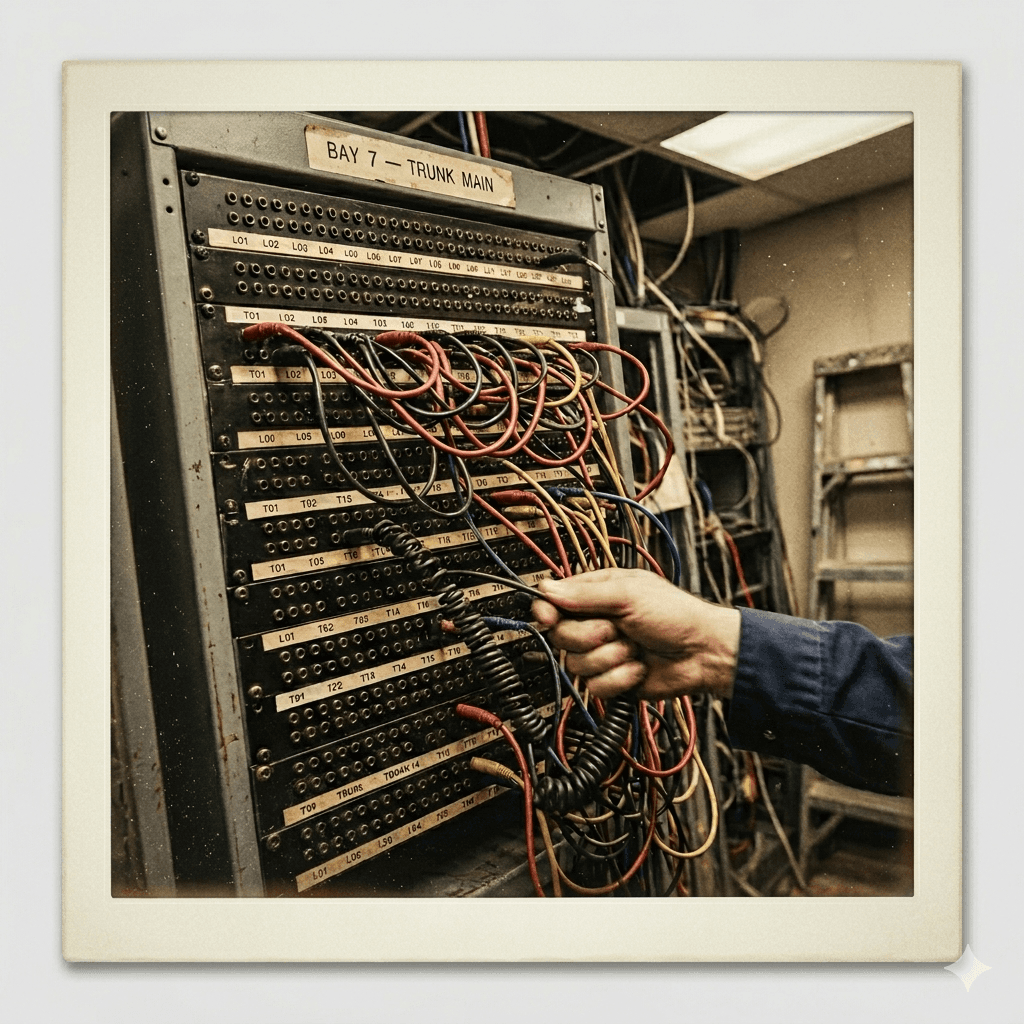
Patch Bay · 1995
Patch BayCrossbar Switch · 1995
The way systems used to talk.

There's a new way to connect.

Then
connecting two systems was a project with a budget line.
Now
it is a configuration exercise, and the audit trail comes with it.